
Debit Card Controls Available in Online and Mobile Banking
- Manage your debit card right where you already manage your money. Get easy, on-the-go access to card controls and take action quickly — all from digital banking, with no separate app needed.
- Turn your debit card on or off if it is misplaced, lost, or stolen
- Receive transaction alerts to help track card activity and spot unusual purchases
- Set up travel notices so your card is ready to use wherever your plans take you
- Order a replacement debit card if yours is lost or stolen
Find Debit Card Control Options Easily in Online Banking and the Mobile Banking App
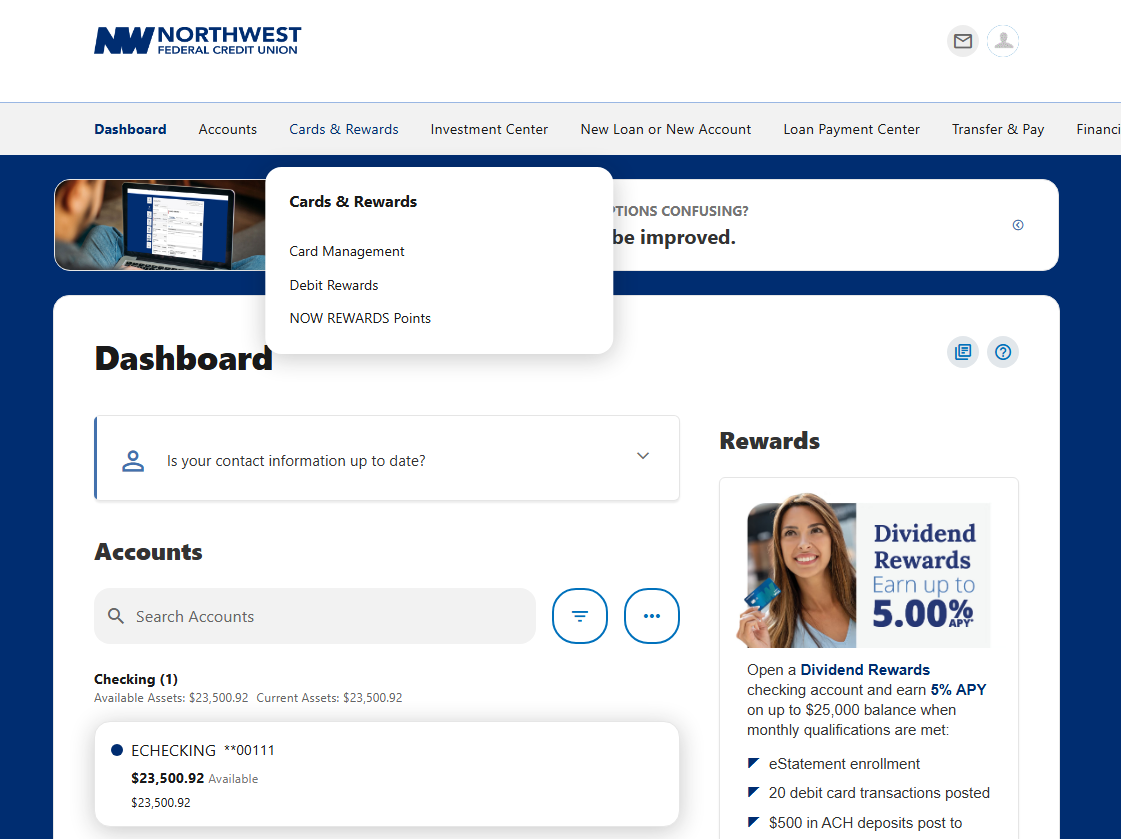
Debit card controls are located under "Cards & Rewards" in online banking and "Cards" in the mobile app.
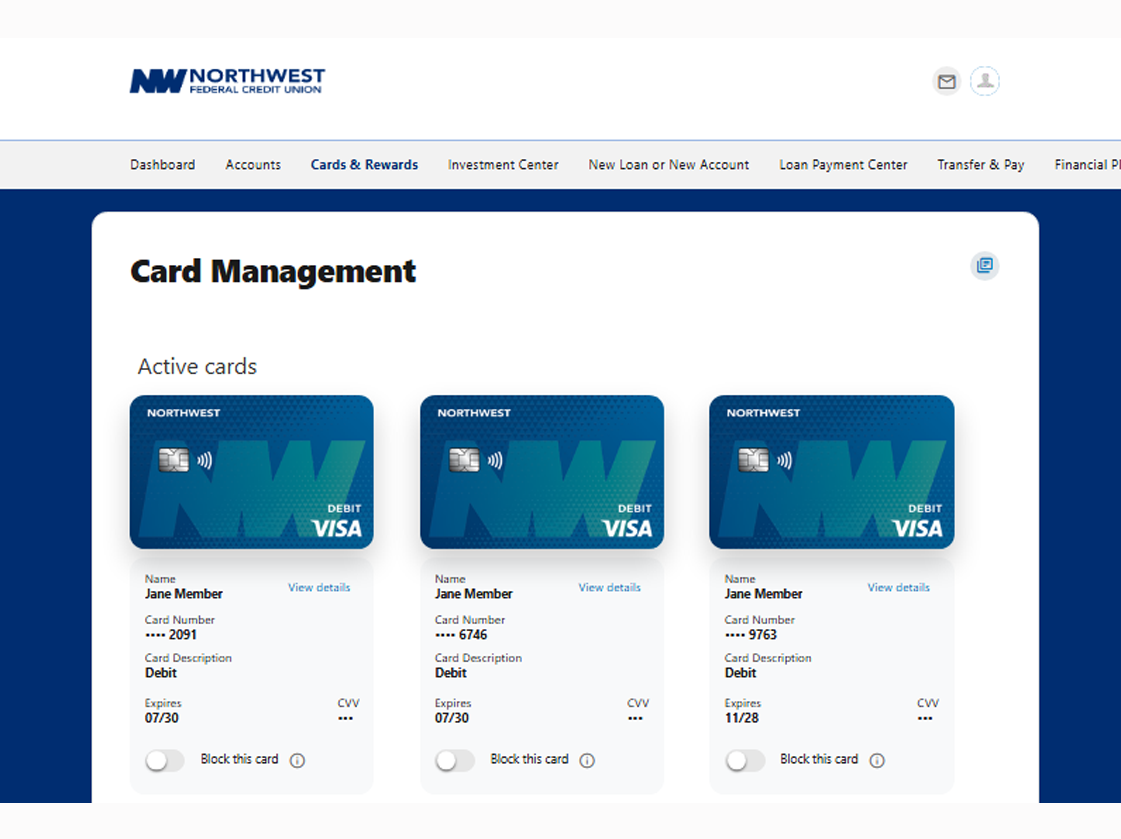
Once there, select the card you would like to manage from your available debit cards. You're also able to block the card with one click, immediately stopping any future transactions until you enable the card again.
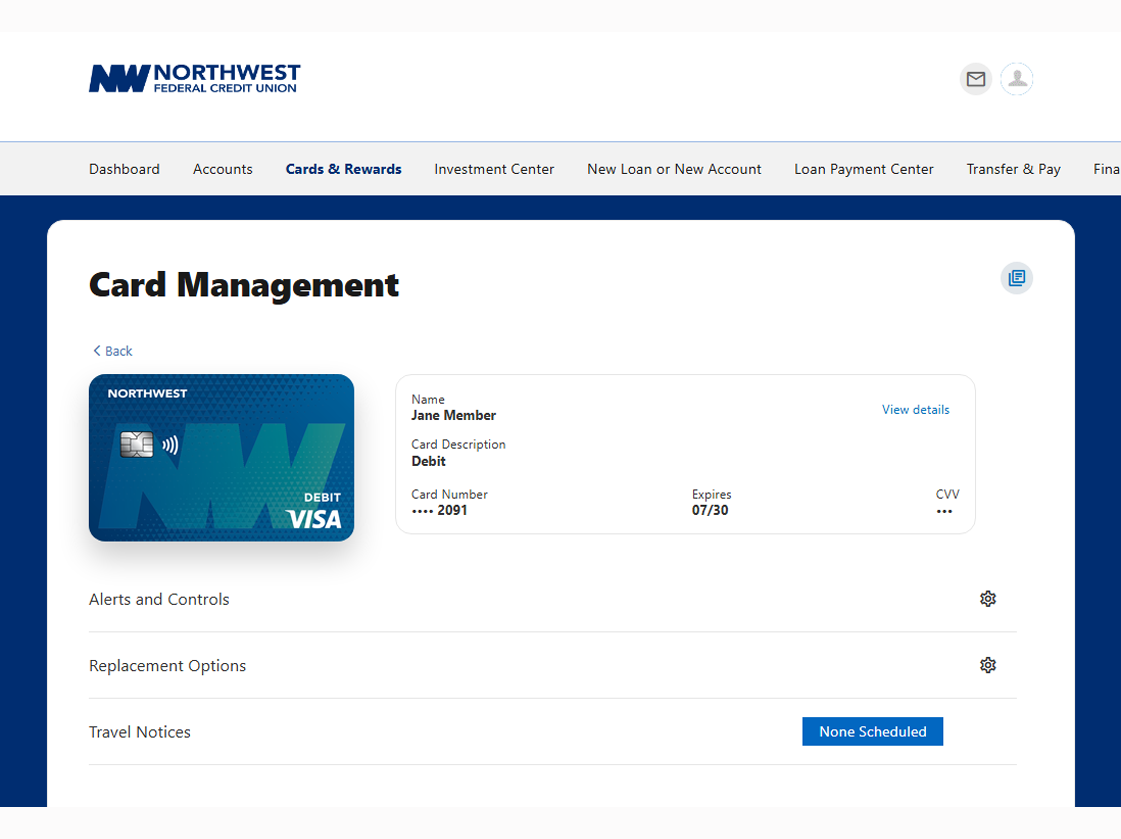
Clicking on the card you would like to manage gives you access to a variety of transaction alert options, as well as the ability to order a replacement card and set up travel notices. Setting up alerts is crucial in preventing fraud and protecting your accounts. Travel notices ensure your card remains active when making purchases outside your normal area of use.
Convenient, Personalized Transaction Alerts
You now have access to more ways than ever to control your debit card, including:
Transaction Limits: Receive an alert whenever a transaction amount exceeds the limits you’ve set either per transaction, or your total money limit.
Transaction Types: Set alerts for the types of transactions you want to be notified about such as online, in-store, ATMs, and others.
Merchant Types: Enable alerts by type of merchant including restaurants, gas stations, grocery stores, and more.
FAQs
You will continue to use the CardControl+ app for your credit card for the time being. A future update will move credit card controls into digital banking as well.
No. This update only affected where you manage your card controls – all other features of your debit card remain the same.